

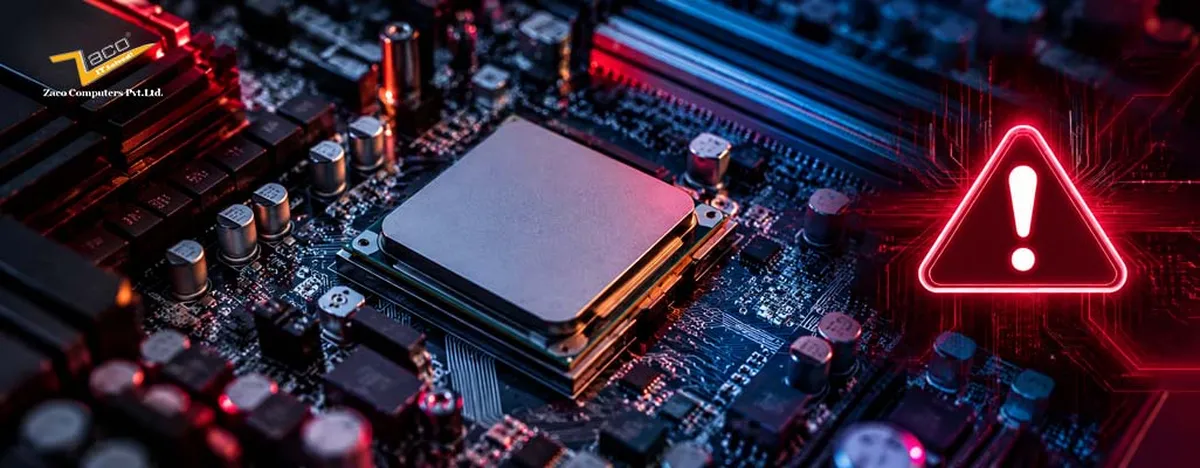
System board problems in HPE ProLiant servers can be difficult to diagnose because some symptoms overlap with memory, processor, storage, power, and PCIe issues. A server that fails POST or repeatedly reports hardware errors does not necessarily have a failed system board.
The first step is therefore to identify the symptoms and review available diagnostic information before replacing any component. HPE iLO, the Integrated Management Log (IML), and the Active Health System (AHS) log can provide useful information about hardware events and system health. HPE recommends using these logs as part of the troubleshooting process.
This guide covers common signs that may indicate an HPE ProLiant system board problem, how to use iLO and system logs during diagnosis, how to distinguish board-related issues from individual component failures, and when replacing the system board may make more sense than replacing the entire server.
7 Common HPE Motherboard Failure Signs IT Teams Should Recognize
Whether your team calls it an HPE motherboard or still uses the older habit of saying HP server motherboard, these seven HPE ProLiant system board symptoms troubleshooting patterns are the clearest early indicators that the board itself, not a single component, is failing.
- ● Repeated POST failures: the server fails to complete POST and does not reach OS boot consistently.
- ● Persistent ECC memory errors across multiple DIMM slots: errors span different channels, not isolated to one DIMM.
- ● iLO management controller unresponsive: BMC health alerts, sensor data unavailable, or the iLO port unreachable.
- ● PCIe slot malfunctions: NIC, HBA, or RAID controller not detected even after reseating.
- ● Intermittent or complete loss of onboard network connectivity, without a confirmed NIC fault.
- ● Unexpected reboots with no identifiable OS or hardware cause found in event logs.
- ● BIOS corruption or persistent failure to retain configuration settings between power cycles.
Any one of these HPE motherboard failure signs on its own could point to a single faulty component. Two or more appearing together, especially across unrelated subsystems, is what should redirect suspicion to the system board itself.
Failure Signs Commonly Mistaken for Memory or CPU Faults
Some of the most confusing HPE motherboard failure signs look exactly like a bad DIMM or a dead CPU until you test further.
- ● Multi-DIMM ECC errors: if errors span three or more slots across different channels after DIMM replacement, suspect the board's memory controller rather than the memory itself.
- ● CPU not detected: if CPU detection fails after reseating, test with a known-good processor before concluding it is the CPU.
- ● Unexpected reboots: check the iLO IML for chipset or power regulation events before assuming an OS-level cause.
Key rule: if multiple unrelated components show faults concentrated in the same area of the board, the board is the primary suspect, not each component individually.
How HPE iLO Helps Diagnose System Board Problems
HPE motherboard failure signs are far easier to confirm with iLO than by physically swapping parts. iLO provides out-of-band management access even when the OS cannot boot, which makes it essential for board-level diagnosis before any hardware is touched.
- ● Integrated Management Log (IML): records all hardware health events with timestamps and severity levels.
- ● Active Health System (AHS): logs detailed sensor data, power events, and firmware status for deeper diagnosis.
- ● iLO health dashboard: shows CPU, memory, PCIe, power, and BMC health status at a glance.
Reviewing this data is the fastest way to catch an HPE iLO POST error server won't boot pattern before it turns into a full outage.
Reading the HPE Integrated Management Log for System Board Problems
The IML can help identify hardware events that occurred before or during a server failure. However, an IML message should not automatically be interpreted as proof that the system board has failed.
Start by looking for:
- ● Repeated hardware errors
- ● POST related events
- ● Memory or processor errors
- ● PCIe or controller detection problems
- ● Power or thermal events
- ● iLO or embedded controller related events
- ● Events occurring at the same time as the reported failure
Review the event details and recommend corrective action for the specific server model. HPE's troubleshooting documentation uses the IML together with other diagnostic information to identify the underlying cause.
If the issue remains unclear, download the Active Health System log and use the available HPE diagnostic resources or qualified technical support for further analysis.
POST Error Codes That Indicate a System Board Problem on Gen10 and Gen11
POST error codes are among the clearest HPE motherboard failure signs available before the OS ever loads. POST codes referencing "System Board," "Memory Subsystem," or "Embedded Management Controller" indicate board-level issues rather than a single failed part. On Gen10 systems, iLO generates IML entries with codes referencing chipset or embedded controller hardware faults. On Gen11, iLO 6 introduces updated POST diagnostics, so an HPE iLO POST error server won't boot situation should be checked against the model-specific maintenance guide for the current POST code reference table. Always consult the server's maintenance and service guide for the complete POST code table for your specific model.
How to Distinguish System Board Failure from Other Hardware Faults
Confirming HPE motherboard failure signs against a single bad component, rather than the board itself, comes down to four swap tests for HPE ProLiant system board symptoms troubleshooting:
- ● Memory vs board: swap DIMMs with known-good units. Errors persisting across all channels confirm the board, not the DIMMs.
- ● CPU vs board: swap with a confirmed working CPU. If detection still fails, the board is the fault.
- ● PSU vs board: check power event logs in iLO. Board faults generate different event signatures than PSU fluctuations.
- ● PCIe card vs board: test the card in a known-good slot. If multiple slots malfunction, the board is the fault.
Running all four tests before ordering a replacement part avoids the most common and costly diagnostic mistake: replacing a component that was never actually faulty.
Repair vs Replace: When Does Replacing the System Board Make Financial Sense?
Once HPE motherboard failure signs are confirmed, the next question is whether an HPE server system board replacement cost vs new server comparison favours repair or a full server swap.
| Factor | Replace System Board | Buy Replacement Server |
|---|---|---|
| Server age | Under 6 years - replace board | Over 7 years - evaluate full server |
| Cost | Board replacement 40–60% less than new server | Full server only if age and capacity justify it |
| Downtime risk | Lower - same hardware, known configuration | Higher - new server needs full setup |
| Parts availability | Gen10 boards widely available | Gen11 new servers in supply |
| Future capacity | Retained as-is | Opportunity to upgrade generation |
What a Replacement HPE System Board Costs vs Buying a New ProLiant Server
Once HPE motherboard failure signs point clearly to the board, the HPE server system board replacement cost vs new server question usually resolves itself quickly. A refurbished HPE DL380 Gen10 system board costs significantly less than a comparable new or refurbished DL380 Gen10 server, and a refurbished HP motherboard of this generation is widely available through certified resellers. For servers under six years old on Gen10 architecture, board replacement delivers the best cost-to-continuity ratio of any repair option. For Gen9 hardware over seven years old, it's worth evaluating whether a refurbished Gen10 server offers better long-term value than chasing an HPE ProLiant Gen10, Gen11 system board hardware fault with a like-for-like part.
If diagnostics indicate that the system board is the likely source of the problem, the next step is to identify a compatible replacement.
Zaco Computers supplies HPE ProLiant system boards and spare parts for a range of server models and generations. If you are unsure which board you need, provide the server model, generation, and existing system board part number so compatibility can be checked before ordering. → https://www.zacocomputer.com/shop/hpe/hpe-motherboard/
Preventive Steps to Reduce HPE System Board Failure Risk
Most HPE ProLiant Gen10, Gen11 system board hardware fault cases, and most HPE motherboard failure signs generally, trace back to one of four preventable conditions on an HP ProLiant motherboard that was never maintained on a schedule.
- ● Keep firmware updated: apply iLO, BIOS, and system board firmware updates on a regular schedule.
- ● Monitor iLO health proactively: set up iLO email alerts for any health status change, to catch degradation before failure.
- ● Maintain thermal management: clean dust filters quarterly, verify fan operation, and keep ambient temperature within spec.
- ● Power quality: use a UPS with line conditioning — voltage irregularities are a leading contributor to premature board failure.
Catching an HPE iLO POST error server won't boot event at this preventive stage, rather than after a full failure, is what keeps board replacements planned rather than urgent. For a broader look at when refurbished hardware fits an IT budget, see Why Refurbished HPE and Dell Servers Are a Smart Choice for IT Budgets in 2026.
Conclusion
Systematic diagnosis, iLO logs first, component isolation second - prevents wasted time and unnecessary parts replacement when chasing HPE motherboard failure signs. The seven failure signs covered here give IT teams a structured framework to identify board-level issues early, rather than replacing components one at a time on guesswork. For servers under six years old, board replacement delivers the best combination of speed, cost, and continuity.
Zaco Computers supplies HPE ProLiant system boards and spare parts for businesses looking to repair and maintain their existing HPE server infrastructure.