

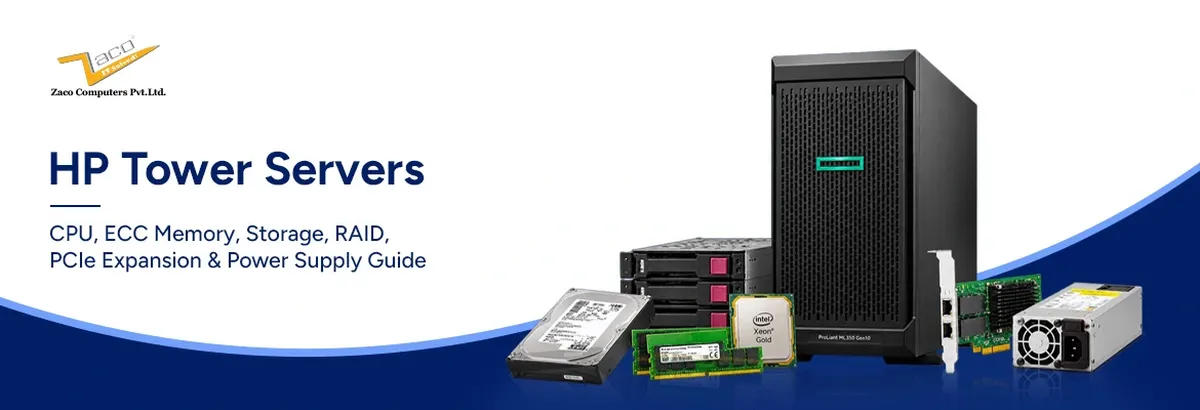
HP tower servers are floor-standing or desktop-positioned servers designed to deliver enterprise server capabilities without requiring a traditional rack installation. HPE ProLiant ML systems can support Xeon processors, ECC memory, remote management through HPE iLO, enterprise storage controllers, multiple drive configurations and PCIe expansion, depending on the model and generation.
Tower servers are commonly used for file and print services, virtualization, databases, backup, branch-office infrastructure, departmental applications and other workloads where a rack-based server environment is unnecessary or unavailable. They can provide substantial expansion capacity while remaining easier to deploy in offices, small server rooms and edge locations.
Choosing the right tower server is less about selecting the newest processor or the largest memory capacity and more about matching the platform to the workload. A practical sequence is to start with the workload, then evaluate processor sockets, memory, drive bays, RAID, PCIe expansion and power supply. Some decisions, particularly the chassis and drive-bay configuration, are considerably harder to change after deployment than others.
Where the Tower Form Factor Fits
The physical difference between HP tower servers and a 1U rack unit is airflow. A tower has room for larger, slower-spinning fans and full-height PCIe cards without risers. HPE notes that even an ML350 Gen10 loaded with NVMe SSDs under sustained load reaches 50 to 55 dB(A) and advises weighing acoustics when choosing the site ProLiant towers are still engineered to sit far closer to people than any 1U unit. Three deployment patterns account for most HP ProLiant tower server purchases:
- ● Single-server small business: one tower running file, print, directory and a line-of-business application.
- ● Branch or edge site with no rack: a retail outlet, plant floor or regional office that needs local compute without a cabinet.
- ● Departmental workload near its users: a finance, engineering or imaging team that needs its own database server on the same floor.
The choice is not permanent: HPE's tower-to-rack conversion kit converts the ML350 Gen10 into a 5U rack server, so HPE ProLiant ML servers work as a growth path. For a fuller tower vs rack server comparison, see Zaco's guide to HPE rack servers for modern data centres.
Processor Selection: Cores, Clocks and Licensing Reality
Socket count fixes everything else. On most ProLiant ML models it caps the memory channels, PCIe lanes and drive-cage options, and a second socket only helps once the second processor is installed.
Entry Class: Single-Socket Xeon E3 and E-Series
The HP ProLiant ML10 G9 ships with an Intel Xeon E3-1225 v5: four cores, 3.3 GHz, 80 W TDP, ECC support and a 64 GB memory ceiling It is correctly sized for file and print, a domain controller or a light line-of-business database for 10 to 25 users. The case for a Xeon over a desktop-class processor here is ECC validation and platform management, not speed.
Scaling Up: Xeon E5-2600 and Xeon Scalable
Dual-socket HP tower servers begin with the HP ProLiant ML350 G9: Intel Xeon E5-2600 v3/v4 processors, up to 22 cores per socket on v4, with 24 DIMM slots over four channels per CPU The HP ProLiant ML350 G10 steps up to Xeon Scalable, 4 to 28 cores per socket, six channels per processor and a 3 TB memory ceiling.
More cores are not automatically better, because commercial software is licensed per core. Microsoft lists SQL Server 2022 Standard at USD 3,945 and Enterprise at USD 15,123 per two-core pack, with a four-core minimum per processor On a 28-core processor, Standard licences alone reach roughly USD 55,000, more than the hardware, so for single-threaded ERP work a tower with a higher-frequency, lower-core processor is usually the better buy.
ECC Memory: The Subsystem That Justifies Server Hardware
Error-correcting code (ECC) memory in HP tower servers detects memory errors and corrects the most common single-bit errors automatically. Such errors are not rare: a field study by Google and the University of Toronto across a production fleet found more than 8% of DIMMs affected each year
The difference is what an error costs. On a workstation, a flipped bit corrupts one spreadsheet cell; on an ECC memory server holding a database, the same bit could sit inside a committed transaction. This is why ECC is specified for anything that holds business data.
UDIMM, RDIMM and LRDIMM
Entry and high-end models use different module types, and they are not interchangeable. An entry ECC memory server such as the ML10 Gen9 carries four slots for DDR4-2133 unbuffered ECC (UDIMM) with a 64 GB ceiling. The ML350 Gen10 carries 24 slots for registered (RDIMM) or load-reduced (LRDIMM) modules, 1.5 TB with 64 GB RDIMMs or 3 TB with 128 GB LRDIMMs, and the two may not be mixed. Match HPE memory to the QuickSpecs part list, not to capacity alone.
Channel Population Rules Most Buyers Get Wrong
Capacity is only half the specification; bandwidth depends on how many channels are populated:
- ● Filling three slots on a six-channel Xeon Scalable processor forfeits roughly half the available bandwidth; six identical DIMMs per CPU is the minimum.
- ● Mixing ranks or speeds drops the whole bank to the slowest module; HPE prohibits mixing 2133 and 2400 MHz modules on the ML350 Gen9.
- ● Match part numbers exactly and follow the population order printed on the chassis service label.
Storage Architecture and Drive Bay Planning
Bay choice on HP tower servers is effectively permanent, because backplanes and cages are rarely changed after commissioning. Small form factor (SFF, 2.5-inch) bays favour spindle count and IOPS: the ML350 Gen10 reaches 24 SFF bays. Large form factor (LFF, 3.5-inch) bays favour cost per terabyte: the same chassis reaches 12 LFF bays and 192 TB raw Dual-ported 12 Gb/s SAS suits databases and virtualisation; 6 Gb/s SATA suits backup targets and archives at lower cost per terabyte.
Solid-state drives for ProLiant towers are sold in three endurance categories, which HPE labels Read Intensive, Mixed Use and Write Intensive. Ratings vary by model and manufacturer, so the category is a guide and the drive's specification sheet is the reference. A Read Intensive drive should not sit under a transactional log or write-heavy database, where sustained writes will exhaust its endurance far earlier than planned.
RAID Controllers: Protection, Cache and Rebuild Risk
RAID should be planned together with the storage configuration, because the controller determines which RAID levels, drive types and rebuild behaviours are available. Entry models such as the ML10 G9 and ML310 G8 use an onboard controller; the ML350 G10 builds use an HPE Smart Array, whose Performance RAID tier requires the Smart Storage Battery or Hybrid Capacitor to protect its cache. Replacement RAID controller modules, batteries and cable kits are stocked under Zaco's HPE spare parts.
Choosing a RAID Level
RAID 1 and RAID 10 give the fastest rebuild and the best write performance at a 50% capacity cost, and suit databases, VM boot volumes and transaction logs. RAID 5 looks efficient, but large drives can take many hours to rebuild, leaving the array exposed to a second failure throughout. For arrays using drives above roughly 2 TB, RAID 6 is the sensible default.
Cache, Batteries and Write Policy
A Smart Array with 2 GB of flash-backed write cache and a healthy Smart Storage Battery runs in write-back mode. If the battery or capacitor degrades, the controller reverts to write-through and random write latency can worsen by an order of magnitude without any alarm an application owner would notice. Before buying a used tower server or a controller upgrade, ask for the battery or cache-protection health status and monitor it through iLO afterwards.
Configure against real numbers
Zaco's engineers build HP tower servers to a stated IOPS, capacity and RAID requirement, with drives and controllers tested before dispatch. Share your workload profile and receive a configured build rather than a catalogue SKU.
HP ProLiant ML Series: Full Model Comparison
The table covers the ProLiant ML models currently listed in Zaco inventory. Processor, memory, storage and RAID values come from the live product pages; every model can also be configured to order.
Table 1: HP ProLiant ML Series Configuration Comparison
| Model | Form factor | Processor | Memory | Storage | RAID | Best suited to |
|---|---|---|---|---|---|---|
| HP ProLiant ML10 G9 | 4.5U tower | Intel Xeon E3-1225 v5 (4 cores, 3.3 GHz) | 16 GB DDR4 | 2 x 300 GB SAS 10K | Onboard controller | File and print, domain controller, 10 to 25 users |
| HP ProLiant ML310 G8 | 4U tower | Intel Xeon E3 v3 (single socket) | 16 GB DDR3 | 2 x 500 GB SATA | Onboard controller | Entry file server, backup target, branch utility server |
| HP ProLiant ML150 G9 | 5U tower | 2 x Intel Xeon E5-2620 v3 | 16 GB DDR4 | 2 x 300 GB SAS 10K | Onboard controller | Value dual-socket host for small virtualisation and departmental apps |
| HP ProLiant ML350 G9 | 5U tower | 2 x Intel Xeon E5-2620 v3 (platform supports E5-2600 v3/v4, up to 22 cores per socket) | 16 GB DDR4 (24 slots, up to 3 TB) | 2 x 300 GB SAS 10K (up to 48 SFF or 24 LFF) | Onboard controller; Smart Array optional | Refurbished production, virtualisation, DR standby, test labs |
| HP ProLiant ML350 G10 | 5U tower | 2 x Intel Xeon Scalable (4 to 28 cores per socket) | 16 GB (Basic) or 32 GB (Advance) DDR4; 24 slots, up to 3 TB | 2 x 300 GB (Basic) or 2 x 600 GB (Advance) SAS 10K; up to 24 SFF or 12 LFF | HPE Smart Array | Primary production: virtualisation, SQL or ERP, GPU inference, growing SMB |
PCIe Expansion: Budgeting Lanes, Not Slots
Slot count is published for every model; usable lanes are not. On the dual-socket ML350 Gen10, slots 1 to 4 are wired to processor 1 and slots 5 to 8 to processor 2, so a single-CPU build leaves half the slots electrically dead, and two of the processor-1 slots are x4 in x8 connectors.
The cards that typically go into a ProLiant tower are a dual-port 10/25 GbE NIC, an external SAS HBA for tape or JBOD, and a GPU for inference, rendering or VDI. The ML350 Gen10 accepts up to four GPUs in slots 1, 3, 5 and 7; accelerators above 75 W need the external power cable kit, and double-width cards consume the adjacent slot and require the redundant fan kit. Resolve clearance, auxiliary power and airflow before ordering.
Power Supply Design, Redundancy and Efficiency
HP tower servers from Gen9 onwards use HPE Flexible Slot power supplies at 500 W, 800 W and 1600 W, certified 80 PLUS Platinum with an 800 W Titanium option. A second unit provides 1+1 redundancy only if total draw stays within the capacity of one supply; two 500 W units feeding a 700 W configuration are not redundant.
Efficiency changes with load. The 80 PLUS programme certifies units at 20%, 50% and 100% of rated output, and efficiency falls away at the extremes ,so an oversized supply wastes energy continuously. Size the supply to the actual configuration with HPE Power Advisor, feed each supply from a separate circuit, and keep one spare HPE power supply on site.
HP Tower Server Price: New Versus Refurbished
Tower servers lose much of their list value within the first few years while most of their serviceable life remains; Microsoft's own accounting now assumes a six-year useful life for server equipment, extended from four years in 2022. That gap makes refurbished HP tower servers rational, because fans, drives, power supplies and controller batteries, the parts that actually wear, are all field-replaceable.
The comparison that matters is at equal budget. For roughly the cost of a thinly configured new entry-level tower, a refurbished ML350 Gen9 can typically be delivered with dual E5-2600 v4 processors, 256 GB of RDIMM and a Smart Array. Three factors decide whether that trade is sound:
- ● Warranty duration and who services it. Zaco's HPE ProLiant ML servers carry a standard 90-day warranty, extendable to three years, with server maintenance contracts beyond that.
- ● Spare parts availability for the generation. Gen9 and Gen10 parts are plentiful; Zaco's guide to extending HPE server lifespan before Gen10 EOSL covers the support timeline.
- ● Five-year power draw. Older generations can lose their price advantage on electricity alone against a newer platform running the same load at lower wattage.
Refurbished HP tower servers are best matched to development environments, backup repositories, test labs and disaster-recovery standby nodes, and to production roles where the generation will remain supported for the planned service life.
Request a configured quotation
Tell Zaco your workload, user count and capacity target and receive an itemised HP tower server price for a new and a refurbished build, with warranty and support across India, the United Kingdom and the UAE. Request a quote or build your own server online.
How to Choose the Right HP ProLiant Tower Server for Your Workload
This is the checklist Zaco's engineers apply before quoting any tower build:
- ● Confirm the drive bay format and cage capacity against your IOPS and capacity profile; bays are the hardest component to change later.
- ● Match the generation to the workload's expected lifespan; a Gen8 bargain can lose its advantage on electricity alone, while a Gen10 buys another support cycle.
- ● Verify controller, backplane and DIMM compatibility against the HPE QuickSpecs before ordering upgrade parts.
- ● Decide the RAID level by priority, whether performance, capacity or redundancy, and size the cache and battery to match.
Conclusion
Specifying HP tower servers is a sequence rather than a shopping list: workload first, then processor, ECC memory, storage bays, RAID, PCIe expansion and power supply. Get the socket count and drive format right and every other component can be upgraded in the field.
Zaco Computers supplies the ProLiant ML range in new and refurbished condition, with tested components, warranty cover and engineering support across India, the United Kingdom and the UAE. Configure a build or request a quotation for a platform matched to it.